Stop Digging Through Notes. Get Interview-Ready Reports in One Click.
AI combines match scores, resume data, and voice interviews into one downloadable report. See exactly who to hire—with data to back it up. Share with leadership in seconds. No spreadsheets. No scattered notes. No memory gaps.
No credit card needed • Response within 24 hours
We've Been There
CEO asks: "Send top 3 Product Manager candidates by noon."
You scramble—data is everywhere. Match scores in one place, resumes somewhere else,
voice notes in your notebook, salary expectations in your head.
Data scattered across 5 tools
Memory gaps on notice period, salary, availability
Hard to compare candidates side-by-side
2–3 hours per report
Unprofessional Word/Google Docs
There's a smarter way.
Get Professional Reports in 10 Seconds
Save 2–3 Hours Per Report
Click “Download Report.” That's it.
All Data in One View
Resume data + match scores + voice interview + AI insights.
Professional, Consistent Format
Clean PDF layout with badges, highlights, and structured insights.
Side-by-Side Comparison
Skills, experience, salary, availability — compare finalists instantly.
How It Works
Screening Complete (Already done)
Resumes parsed → AI shortlisted → Voice interviews finished. All data is ready.
Navigate to Manager Shortlist Report (5 sec)
Dashboard → Job Library → Click "View Report" icon.
See Unified Candidate Data (Instant)
Match scores, resume highlights, salary, notice period, relocation, transcript summary.
Download Report (5 sec)
PDF or Excel—ready to share with CEO or CTO.
What Makes It Different
All Data Auto-Combined
No more opening resumes, dashboards, or scattered notes.
Consultant-Level Formatting
Polished PDF that looks like a McKinsey-style hiring report.
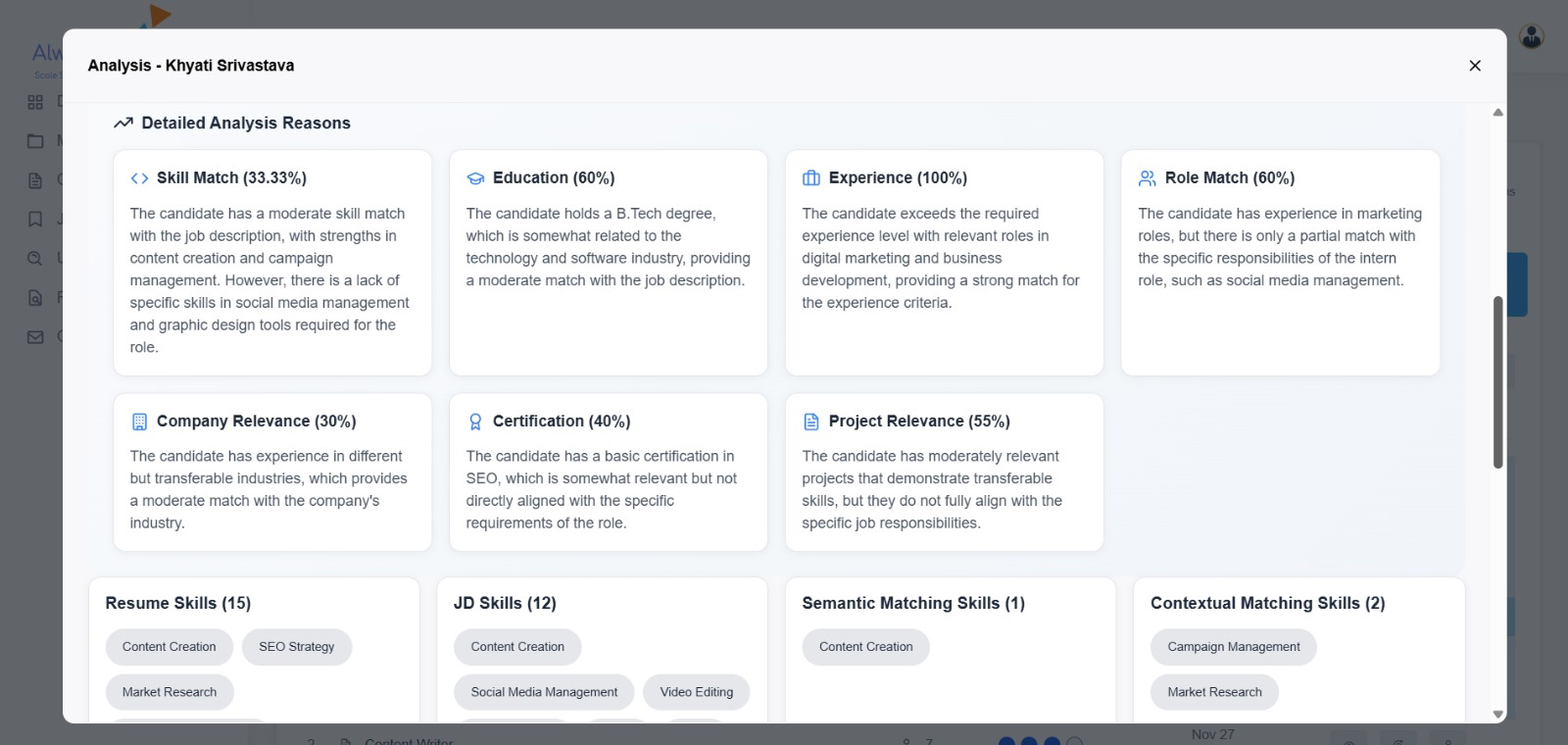
Clear Match Score Breakdown
Education, experience, skills, certifications—transparent scoring.
Share in Seconds
Attach PDF in one email. No meetings needed to explain context.
Side-by-Side Tradeoff Analysis
Skills vs salary vs notice period—clear evaluation.
Historical Reports Saved Forever
Search past role reports anytime.
Perfect For Any Scenario
Manager Shortlist Report vs Manual
| Feature | Manual Process | Alwayscale Report |
|---|---|---|
| Time Required | 2–3 hours to prepare | 10 seconds |
| Formatting | Inconsistent formatting | Polished & professional |
| Data Completeness | Missing details | Comprehensive |
| Side-by-Side Comparison | Manual effort required | Built-in comparison table |
| Historical Access | Lost or hard to find | Archived forever |
Frequently Asked Questions
1. What's included in the PDF report?
Executive summary, candidate profiles, match scores, resume highlights, voice interview data, AI insights, comparison table.
2.Can I edit the report?
PDF is fixed. Download Excel version to add notes or customize.
3. How long are reports stored?
Forever. Fully searchable by role, candidate, or date.
4. Can I create reports without voice interviews?
Yes—those fields show as "Pending."
5.Can I share reports externally?
Yes, but consider privacy. Use anonymized mode (Enterprise).
5.Can I share reports externally?
Yes, but consider privacy. Use anonymized mode (Enterprise).
5. Can I add panel feedback?
Use the Interview Feedback panel (Step 6). It auto-appends to the report.